
Publish a work and submit it to an academy
An academy submission uses a published snapshot of your work. A local draft alone is not a completed submission.
- Open the work and check its text and cover.
- From the work page, open Publish / Submit, then Submit to academy. The page creates or reuses a published snapshot from the current content.
- Choose an academy. Check the preflight items: published version, cover, minimum word count, membership, and duplicate submissions.
- Fix any failed items, then tap Submit.
You can also enter from an academy home. That route lists only works that already have a published version. If the button is unavailable, read the preflight message; academies may have different requirements.
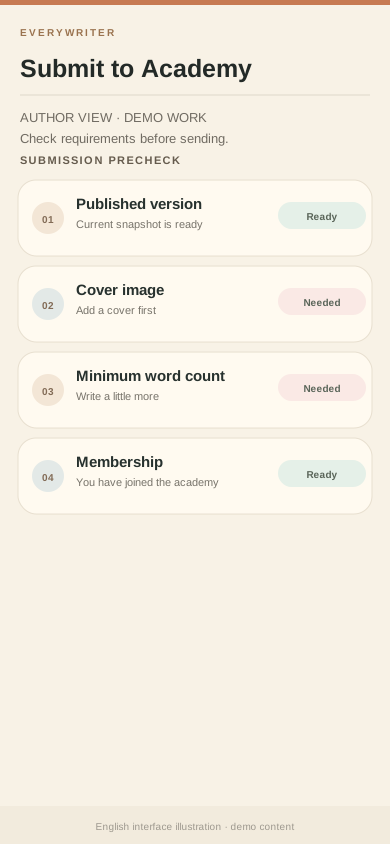
Illustrative submission precheck. Failed items explain why the demo work cannot yet be submitted. Your academy's current rules control the actual requirement.
Next: Check submission status